
For Vibe Coding — Claude Code, Cursor, Codex, Copilot

Nudge your Mac's AI
from anywhere.

A remote built for one job: keep prompting the AI coding agent running on your Mac without breaking flow. Couch, kitchen, café — one tap and you're back in the session.

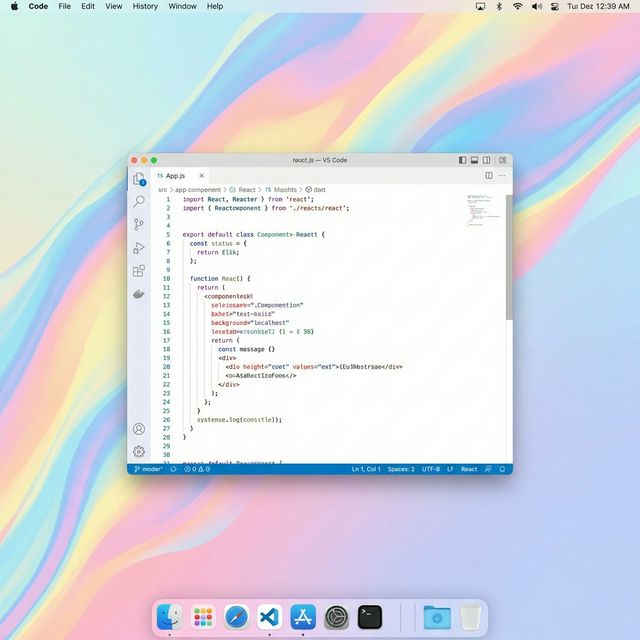
Mac desktop — an AI coding agent running under RemoteVibeCoding Host
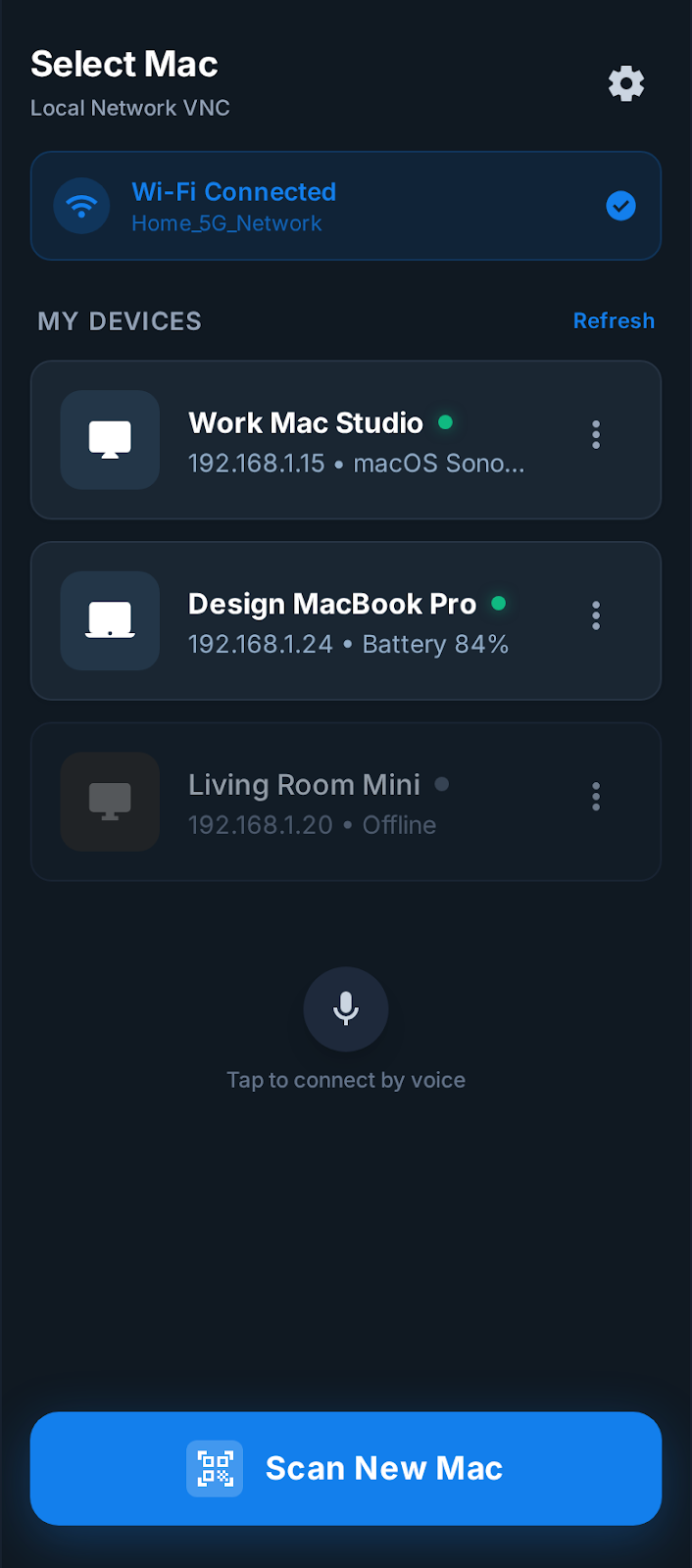
iPhone app — one-tap reconnect to a saved Mac session

3 Steps

Install. Scan. Keep prompting.

Mac runs the agent. iPhone keeps you in the conversation — without walking back to the desk.

01
Mac Host application

Install Mac Host

Launch the host app on the Mac where your coding agent lives. Screen capture setup and QR pairing happen automatically.

  • Download and launch on your Mac
  • Grant Screen Recording & Accessibility permissions
  • QR code appears automatically
02
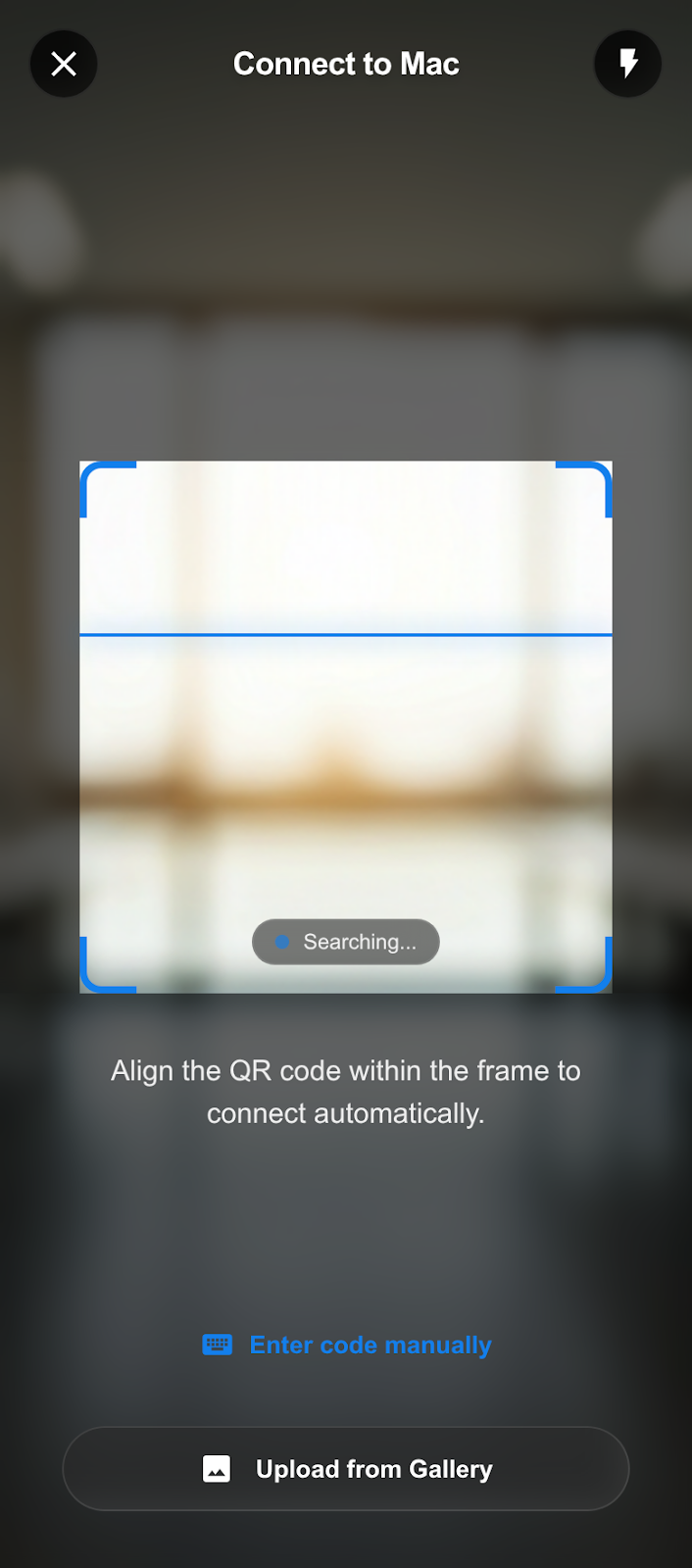
iPhone QR scan

Pair with iPhone

Open the iPhone app on the same network and scan. Host address, one-time code, and certificate are fetched in a single tap.

  • Both devices on the same network for first pairing
  • Secure handshake via one-time code
  • Certificate pinning established automatically
  • Nearby Macs appear automatically — pair with PIN or scan QR
03
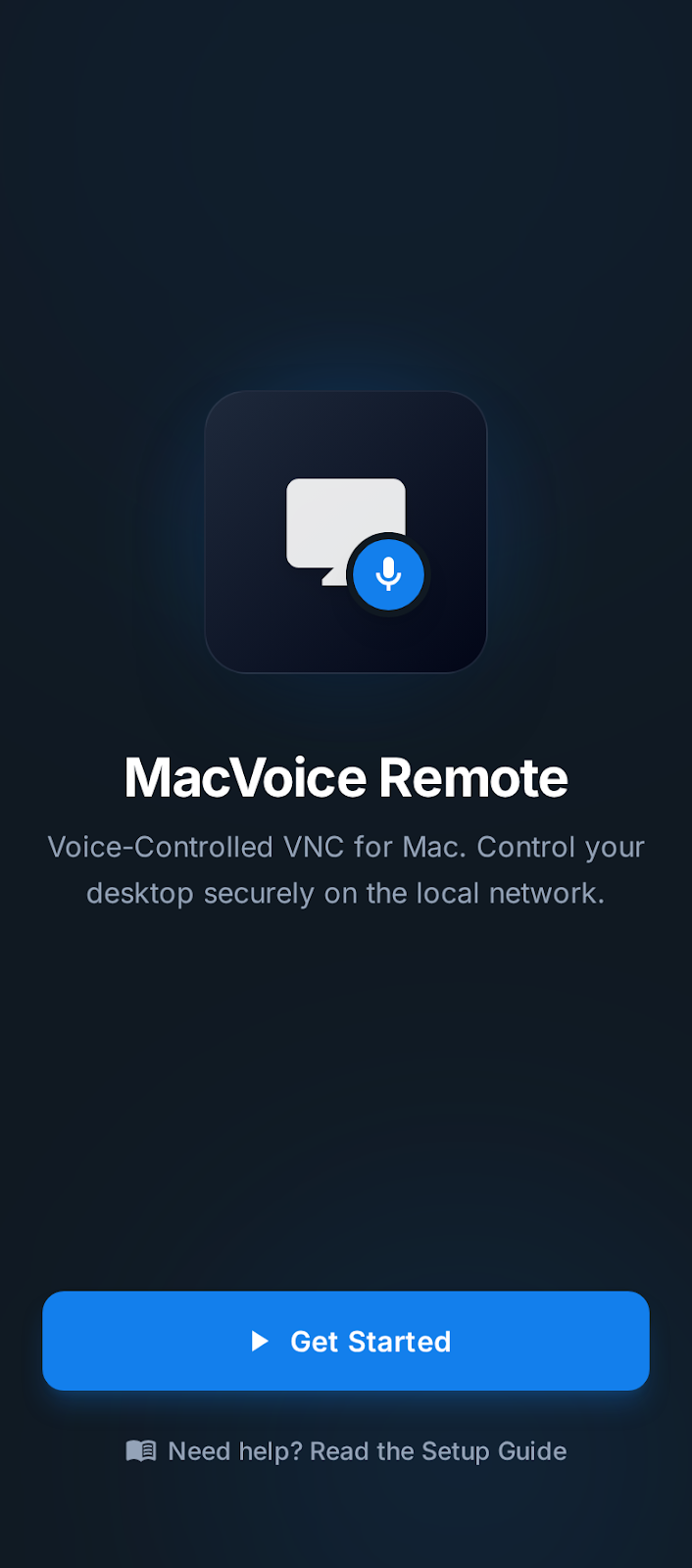
App welcome screen

Keep prompting

Out of the shower, on the train, half asleep in bed — fire the next instruction the moment it lands, by gesture, text, or voice. No walking back to the Mac.

  • Live view with recovery snapshots
  • Gesture, text, and voice prompts
  • One-tap reconnect from Saved Macs next time

Mac runs the agent. iPhone drives it.

Mac Host Hosts your AI coding agent and handles QR display, screen capture, and permissions.
iPhone App Scan to pair, reconnect instantly from Saved Macs, send the next prompt with touch or voice.
Quick Return Saved Macs + auto-reconnect means the second session onwards starts in under a second.

The Difference

Built for vibe coding,
not a shrunk-down RDP.

Generic remote desktops treat your Mac like a laptop you're driving. We treat it like an AI coding partner you want to keep talking to — and designed every interaction around that.

Generic remote desktops

  • You walk back to the desk to type the next prompt
  • Mouse-and-keyboard UI crammed onto a phone
  • Voice dictation is an afterthought, not a first-class prompt
  • Manual reconnect every time you pick up the phone
  • Configuration, port forwarding, account setup
  • No awareness of coding agents or long-running tasks

RemoteVibeCoding

  • Couch-to-prompt in one tap — the agent keeps running, you keep driving
  • Touch-first gestures, prompt shortcuts, and voice built around the flow
  • Voice dictation goes straight into your agent's prompt
  • Saved Macs auto-reconnects — session feels continuous
  • QR pair once, then never configure again
  • Designed around long agent runs — watch, nudge, retry, ship

See it in Action

Not a screen viewer.
A remote for your AI.

Live session, low latency, and a UI optimized for one thing: sending the next prompt to a Mac-side coding agent without breaking your flow.

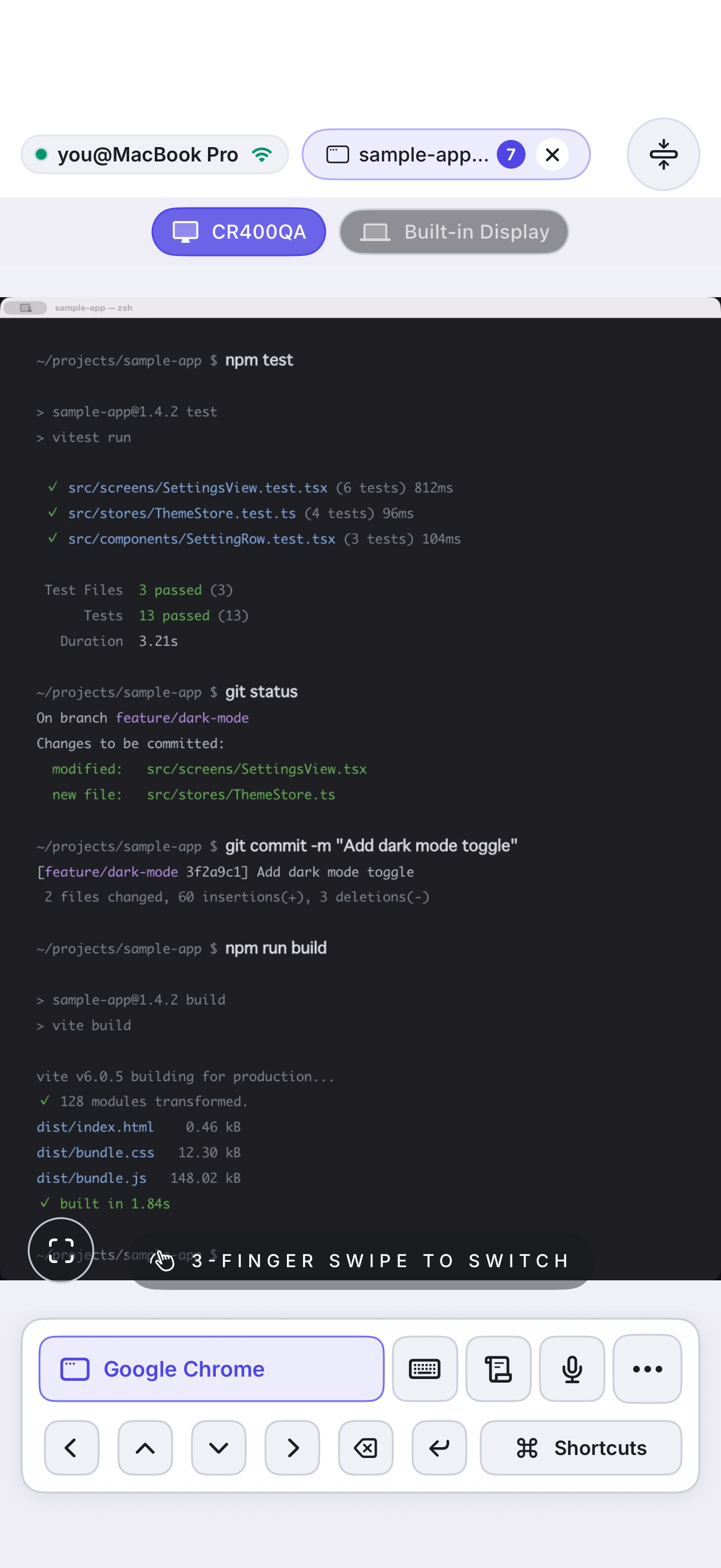
RemoteVibeCoding live session
Live Control

Watch the agent. Steer the agent.

See what Claude Code, Cursor, or Codex is doing in real time. Correct course with a gesture, drop a new prompt by voice, or fire a saved shortcut — all without going back to the desk.

Saved Macs
Repeat Sessions

Pick up where your agent left off.

After the first QR scan, no scanning, no re-login — ever. Pick up your phone, one tap, pick up where the agent left off.

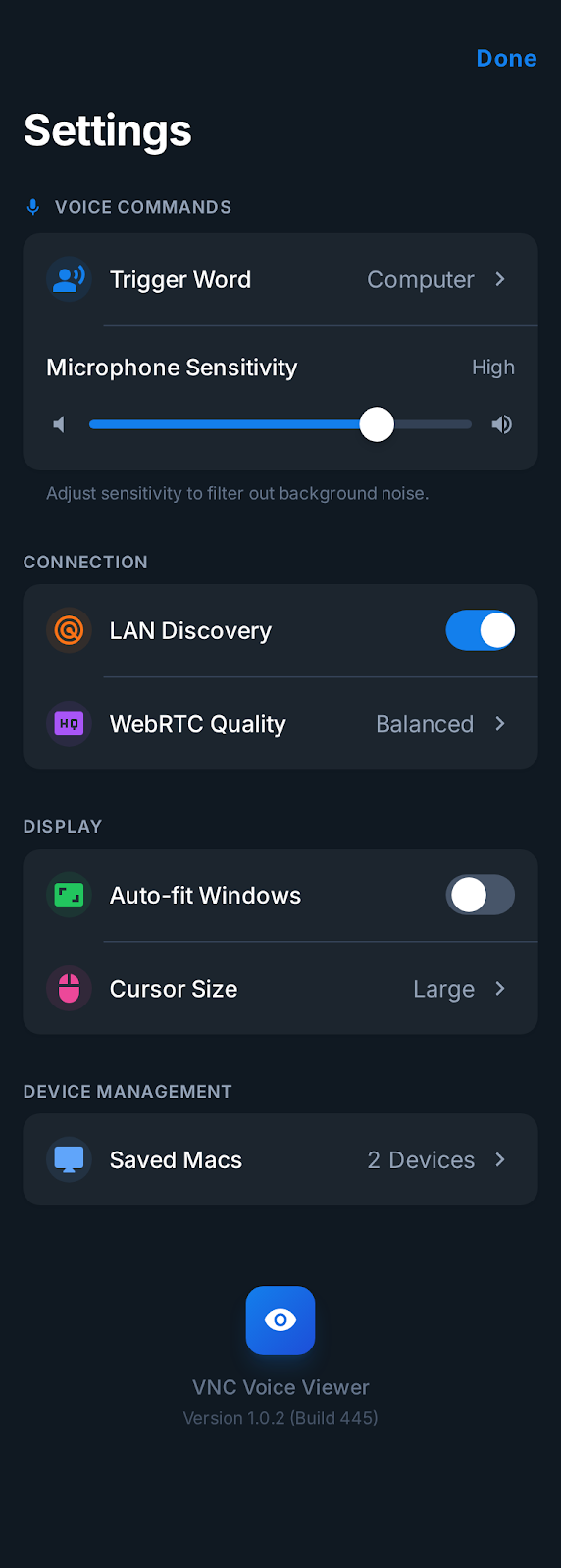
App settings
Tuned for Prompting

Every control sharpened for prompts.

Voice trigger words, gesture sensitivity, cursor size, shortcut panels — tune the remote until sending the next instruction feels effortless.

Built for Apple

Native under the hood.
So the UX can stay obsessed.

Swift and SwiftUI on both sides. WebRTC for streaming, VNC for control. Sessions stay between your devices on the same LAN or the same Tailscale tailnet.

Swift & SwiftUI

Both apps written fully in Swift. Native performance so the remote feels instant.

WebRTC

Sub-second live view of your agent's screen on a local network. No cloud relay.

Certificate Pinning

TLS with pinned certificates — every reconnect verifies it's really your Mac.

Tailscale Ready

Same tailnet, any location. Keep nudging your agent from home, café, or across the office.

VNC Protocol

Industry-standard control channel tuned for touch, gestures, and keyboard injection.

QR Pairing

One scan grabs host address, one-time code, and cert pin. Zero manual setup.

Use Cases

Stay in the loop,
wherever you are.

The agent runs on your Mac. Your phone is how you keep it pointed in the right direction — from the couch, the kitchen, or a café.

Couch Prompt

Send the next prompt from the couch.

Claude Code is halfway through a refactor and you spot the wrong path. Open Saved Macs, type one correction, keep watching. No getting up.

Watch long runs

Babysit long agent runs on your phone.

Leave your agent chewing through a test run, a build, or a multi-step task. Check in on iPhone, retry or redirect the moment it fails.

Voice prompt

Speak the prompt when typing is too slow.

Hands full, away from the keyboard, or just faster by voice — dictate the next instruction straight into your agent's prompt.

Remote vibe

Keep vibe coding across locations.

Put iPhone and Mac on the same Tailscale tailnet. Saved Macs reconnects from home, travel, or the office — your agent never feels far away.

Security Model

Direct, local, yours.
No cloud in the middle.

Sessions stay between your devices on the same LAN or the same Tailscale tailnet. No relay servers, no account, no telemetry of your prompts.

Mac Host QR
iPhone scanning QR
1
Open Mac Host

Launch the host app on the Mac running your agent. QR appears automatically.

2
Scan from iPhone

Pair on the same network. The QR carries host address, one-time code, and certificate pin.

3
Reconnect Securely

Saved Macs uses the pinned certificate. Every session verifies it's really your Mac before anything streams.

Officially supports same-local-network pairing and Saved Macs reconnect over the same Tailscale tailnet. No cloud relay, no external servers.

Security baked into
every layer.

  • QR Pairing + One-time Code Host address, verification code, and cert pin in a single scan. Zero manual entry.
  • HTTPS + Certificate Pinning iPhone verifies the exact paired Mac before every session. No impersonation.
  • Approval Flow High-risk commands require an explicit tap of approval on the Mac host.
  • Localhost-only AI API The AI assistant API stays bound to the Mac's localhost. Never exposed to the network.
  • Supported Network Paths Same local network for first pairing, same Tailscale tailnet for Saved Macs reconnect. No cloud, no port forwarding.

Pricing

Simple Pricing Plans

Mac Host is free. A Pro subscription on iPhone unlocks every prompt shortcut, voice input, and saved connection.

Weekly

$1.99 / week

Short-term access

  • All Pro prompting features
  • Cancel anytime
  • Perfect for a specific project

Monthly

$4.99 / month

Standard plan

  • All Pro prompting features
  • Flexible monthly billing
  • ~40% cheaper than weekly

Yearly

$49.99 / year

17% OFF — Best annual deal

  • All Pro prompting features
  • $4.17/month equivalent
  • Best for daily vibe coding

Included in Pro Access

✓ Speak the prompt — hands full, or just faster than typing ✓ Fire your daily prompts in one tap — never retype the same line ✓ Steer the cursor with finger precision, even on a small screen ✓ Type from your iPhone keyboard straight into the agent's input ✓ One tap back into yesterday's session — no scanning, no re-login ✓ Sub-second live view — catch the agent the moment it drifts ✓ No relay servers — your prompts stay on your local network ✓ Every release sharpens the remote — until it disappears in your hand

Mac Host is free. Install it on the Mac your agent runs on.

Get Started

Keep your AI close,
wherever you are.

Install Mac Host → Scan with the iPhone App → Your agent is one tap away.

About 30 seconds from first install to the first prompt sent from iPhone.

1 Download Mac Host

Install on the Mac your agent runs on.

2 Get iPhone App

Your remote for the agent.

3 Scan QR Code

Same network once. Done.

Compatibility

  • macOS Host — install on the Mac running your AI coding agent
  • iPhone Controller — iOS 17+ recommended
  • Same LAN for first pairing, same Tailscale tailnet for Saved Macs reconnect
  • macOS permissions: Screen Recording, Accessibility
  • No account registration needed

FAQ

Which AI coding agents does this work with?

Any agent that runs as an app or terminal UI on your Mac — Claude Code, Cursor, Codex, Copilot, Aider, and others. RemoteVibeCoding is a remote for the Mac itself, so whatever prompt UI your agent exposes becomes reachable from your iPhone.

Does it work from outside my home network?

Yes, via Tailscale. Join both iPhone and Mac to the same tailnet and you can keep prompting your agent from anywhere — home, café, the office — as if you were on the same local network. The first pairing still needs the same local network. After that, Saved Macs reconnects automatically over Tailscale. Generic corporate VPNs are not officially supported.

What happens after initial setup?

After the first QR scan, your Mac is saved. Next time you pick up the phone, one tap and you're back inside the same agent session — no scanning, no re-login.

How is it secured?

QR pairing bundles a one-time code and certificate pin. All connections use HTTPS + certificate pinning. Sensitive commands require explicit approval on the Mac. Your prompts never touch a cloud relay.

What macOS permissions are needed?

Screen Recording (to stream the agent's screen) and Accessibility (to forward your prompts and gestures).

How do I set up Tailscale?

Create a free account at tailscale.com, install Tailscale on both Mac and iPhone, and sign in with the same account. Once both devices are on the same tailnet, complete the initial pairing (local network required the first time). After that, Saved Macs handles Tailscale-based reconnection automatically. The free plan is enough for solo developers.